Your own tables, filled in for you.
Keep track of anything your business runs on: vendor bills, units and leases, equipment, inventory, content. Create a table in seconds, and let documents, emails, web forms and automations fill it in, so nobody retypes into a spreadsheet again.
No credit card · Sign in with Google or Microsoft
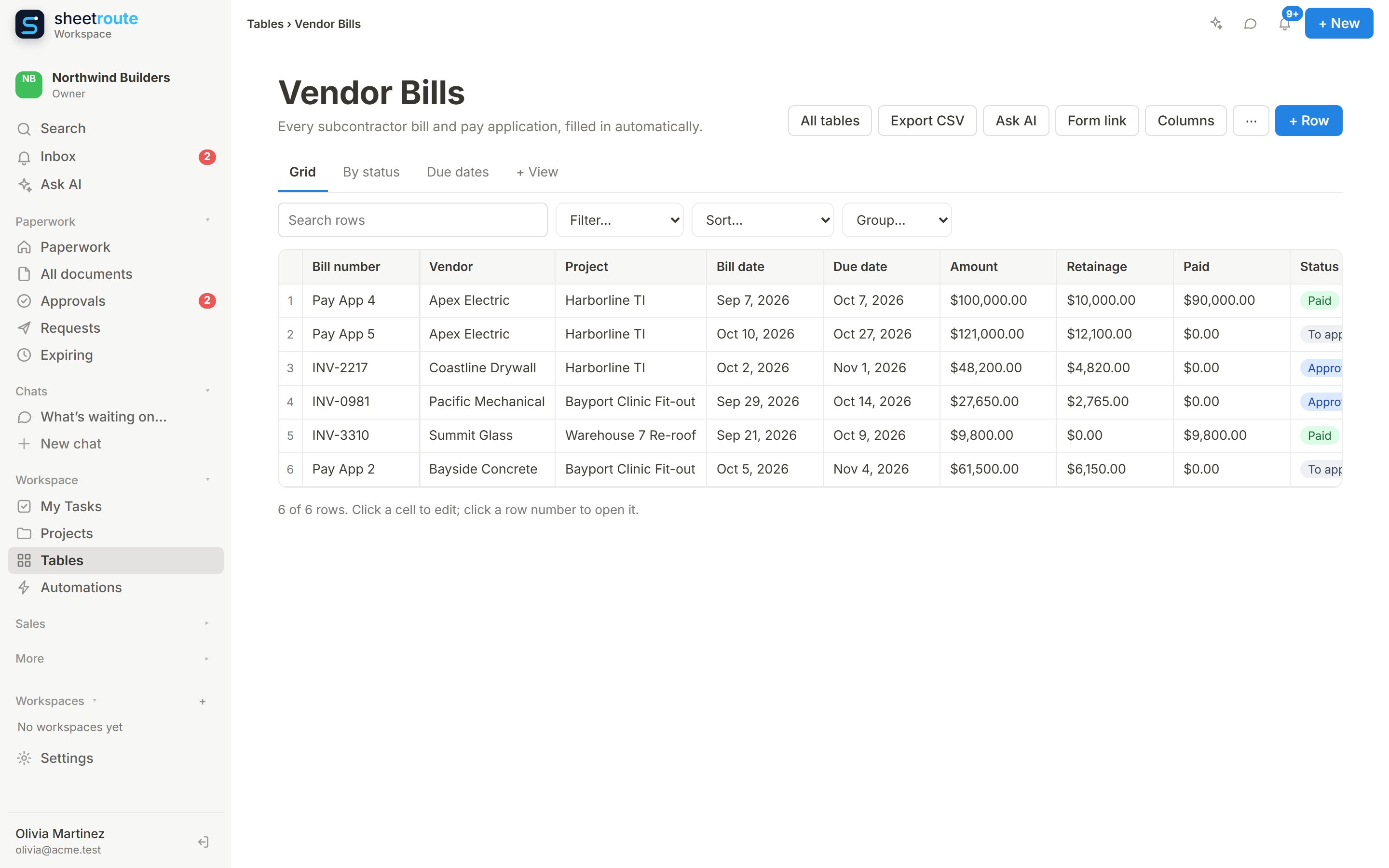
Start from a template, a spreadsheet or a sentence
Pick a template, import a CSV or Excel file (column types are guessed for you), or describe what you need: “track our rental units with rent, tenant, lease end and status”. AI suggests the columns and views, and you check them before it’s created. New tables start empty: no made-up sample data.
- Templates: property units, equipment register, vendors, inventory, content calendar
- CSV and Excel import, CSV export
- Money columns use your organization’s currency
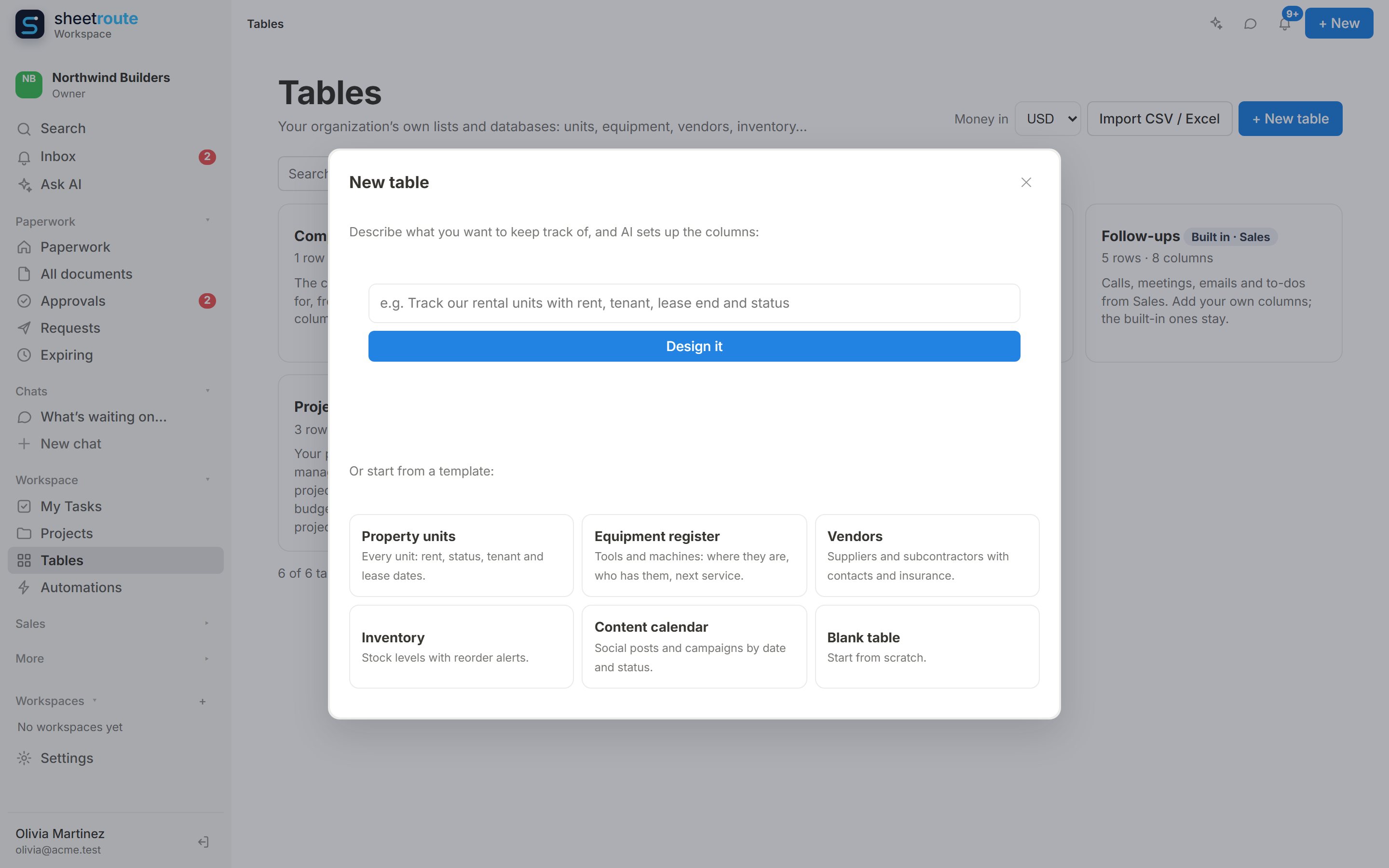
Change it by asking, with a warning first and Undo after
“Add a retainage column after the amount and show Balance Due as money.” Ask AI shows exactly what will change before anything is saved. If a change would clear or remove data, it says so in plain words, for example “This will clear Notes in 3 rows”, and every column change can be undone.
- Previews every change before you apply it
- Formulas keep calculating when you only change how they look
- Type changes keep your values; Undo brings back the rest
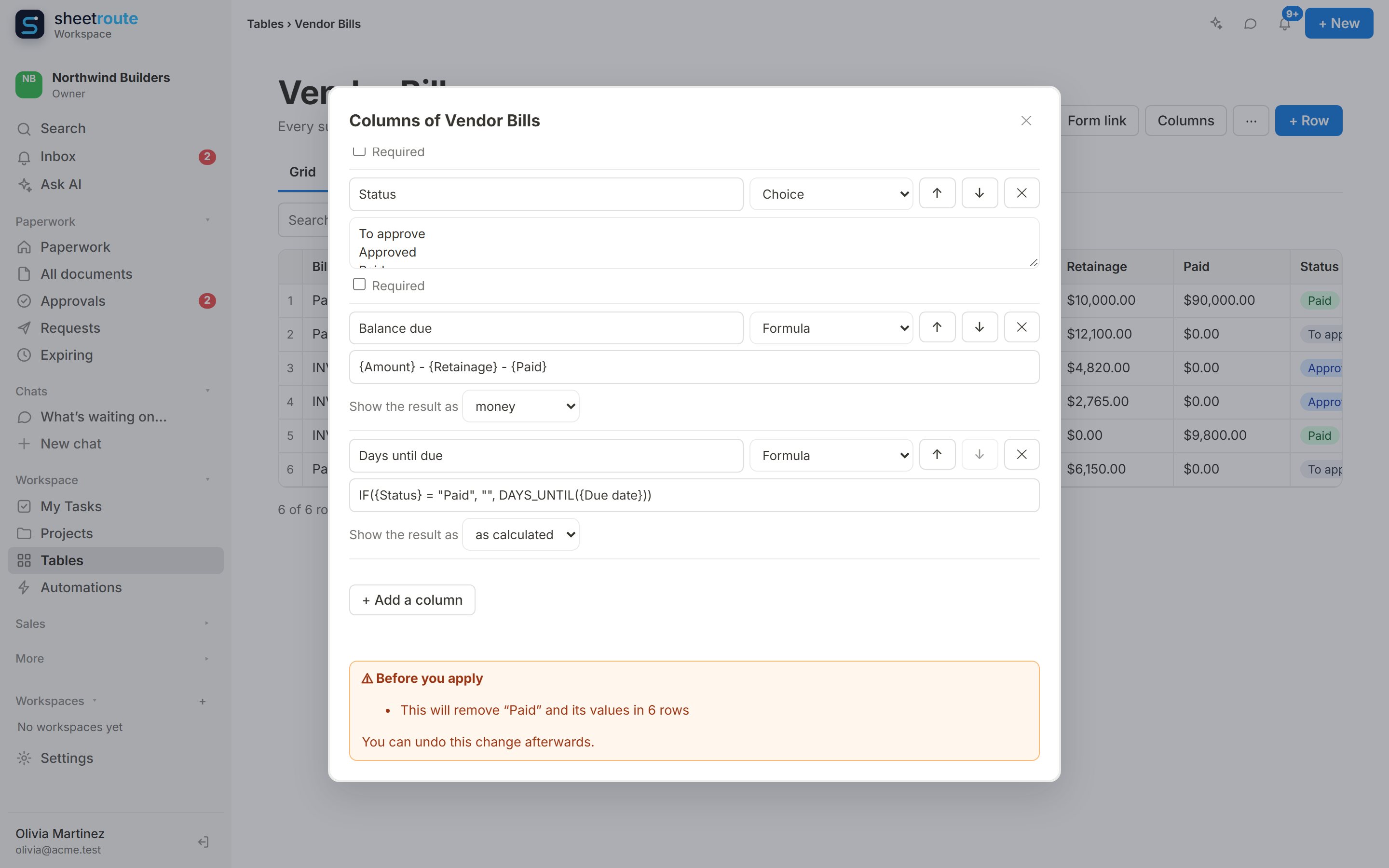
See it the way you work
The same rows as a grid you edit like a spreadsheet, a board you drag between statuses, or a calendar by any date column. Save the views your team uses, with their own filters and sorting.
- Drag a card to change its status
- Calendar by due date, lease end or next service
- Search, filter, sort and group
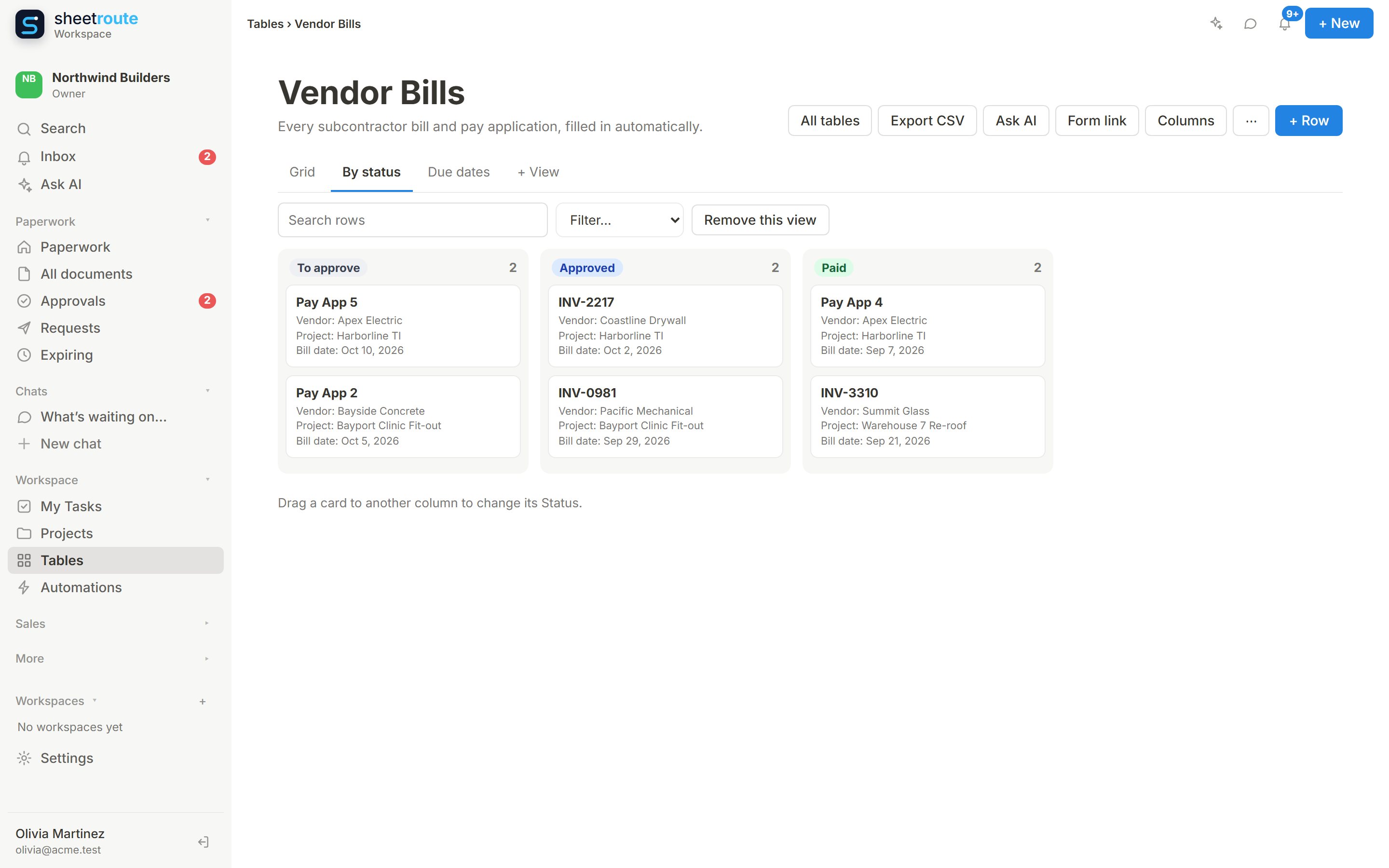
Built for real records
17 column types
Text, numbers, money, dates, choices, checkboxes, team members, emails, phones, links, CRM contacts, projects, links to other tables, lookups and formulas.
Grid, board and calendar
Edit cells in a grid; drag cards between columns on a board; see rows by date on a calendar. Search, filter, sort and group, and save views.
Formulas
Balances, totals and days until due that stay up to date: {Amount} − {Paid}, DAYS_UNTIL({Due date}), IF(…). Shown as numbers, money or percent.
Linked tables and lookups
Link a bill to its vendor, a unit to its building, and show the vendor’s phone or the building’s address right in the row.
Linked to your CRM
Contact columns point at the real customer, tenant or vendor in Sales, matched by name or email.
A public form
Share a link or put it on your website so customers, tenants or staff can add rows without an account. Spam is filtered out.
Your tables keep themselves up to date
Rows arrive from your paperwork and conversations, and changes start the next step.
From documents
When a pay application, invoice or lease is approved or arrives, an automation adds a row with the number, party, dates and amounts already filled in.
From emails and messages
AI automations read emails and Facebook or Instagram messages and add or update rows, asking you first.
Rows start automations
A new row, a changed row, or a date that’s today can notify people, update the row, add a row elsewhere or let AI handle it.
Organization-wide, with the right people in charge
Admins and project managers design
They create tables, change columns and views, and turn on the form link.
The team fills them in
Everyone else on the team can add and edit rows. Guests can’t see tables.
Every change recorded
Each row shows who added it and who last changed it, and when.
Stop retyping. Start running your business.
Tables come with Projects: on the Free plan with Projects, and on Business and Operations. Start free for 14 days, no credit card.