Project paperwork, read, checked and filed for you.
Upload a pay application, change order, lien waiver, contract or RFI. AI reads every page, checks it against the contract, files it, adds it to the right log and creates the tasks it calls for in your project.
Available on its own (Starter, $29/month) or with CRM and Projects on Business
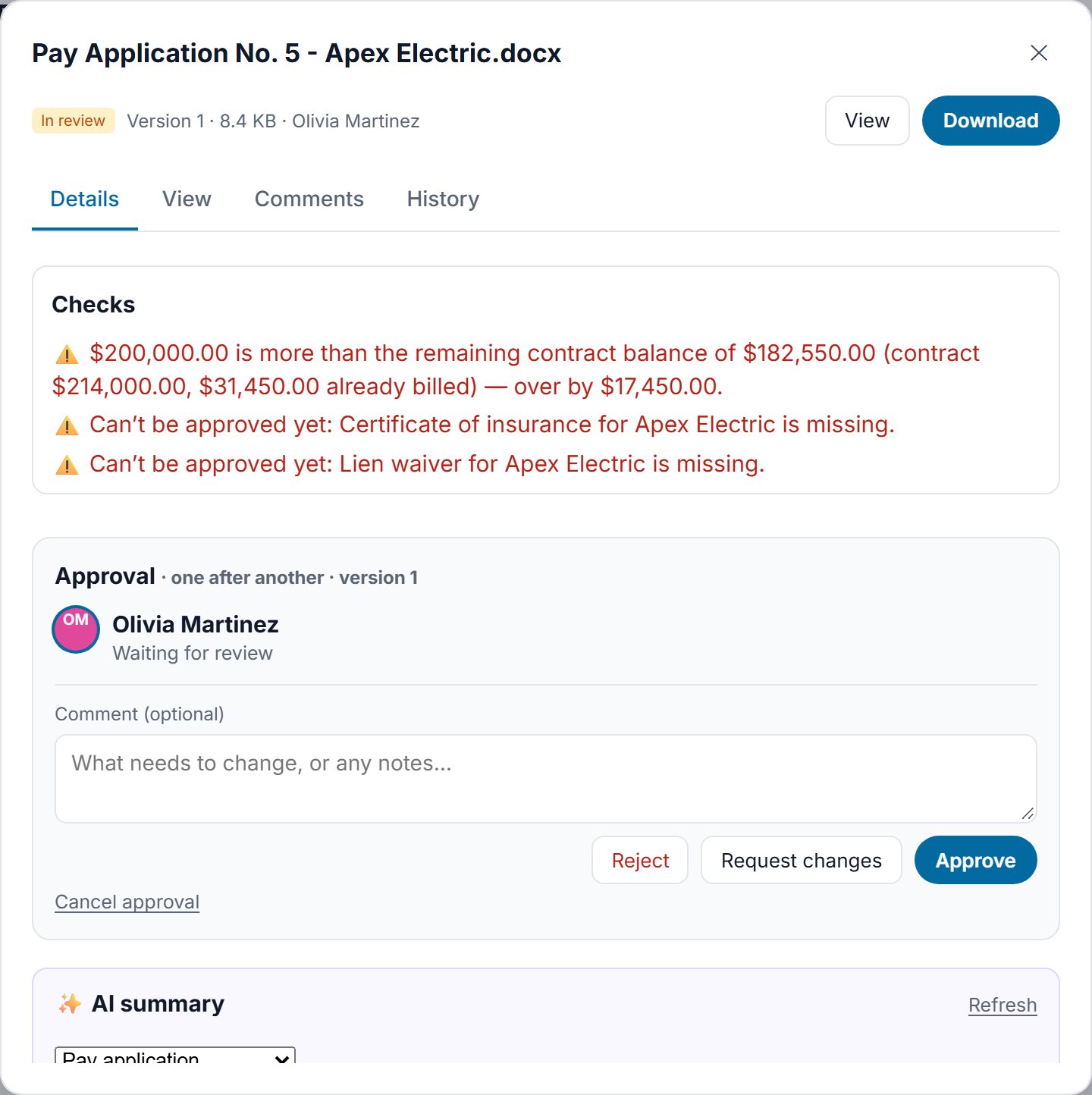
AI reads every page, scans included
Summaries, document type, parties, amounts and dates for every upload. Ask Apex Electric’s 40-page subcontract a question and get the answer with the clause it came from.
- Search finds words inside PDFs, Word, Excel and scans
- Extraction tuned for construction paperwork
- Key dates pulled from the fine print, with reminders
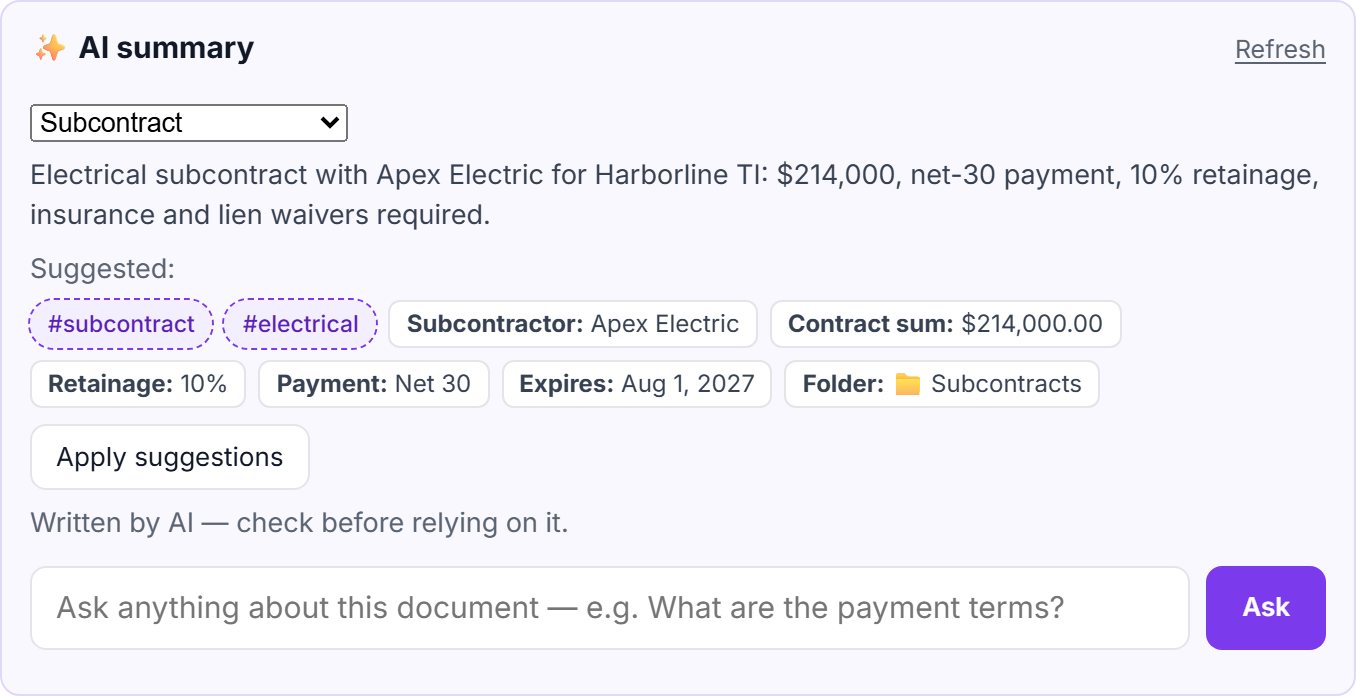
The numbers checked before anyone signs
Pay Application No. 5 asks for $108,900, but its billed-to-date total ($221,000) is $7,000 over the $214,000 subcontract: lighting fixtures are billed at 140%. It’s flagged on the document, and Approve stays locked, with every reason listed, until Apex’s insurance certificate and W-9 are on file.
- Billed to date against the contract sum, approved change orders included
- AIA G702/G703: the math, each line against its scheduled value, retainage and previous certificates
- Unit-price contracts (civil, paving, water, sewer): quantities over the estimate flagged for field verification, not as overbilling
- Lien waivers: a conditional waiver for this payment, an unconditional one for the previous payment
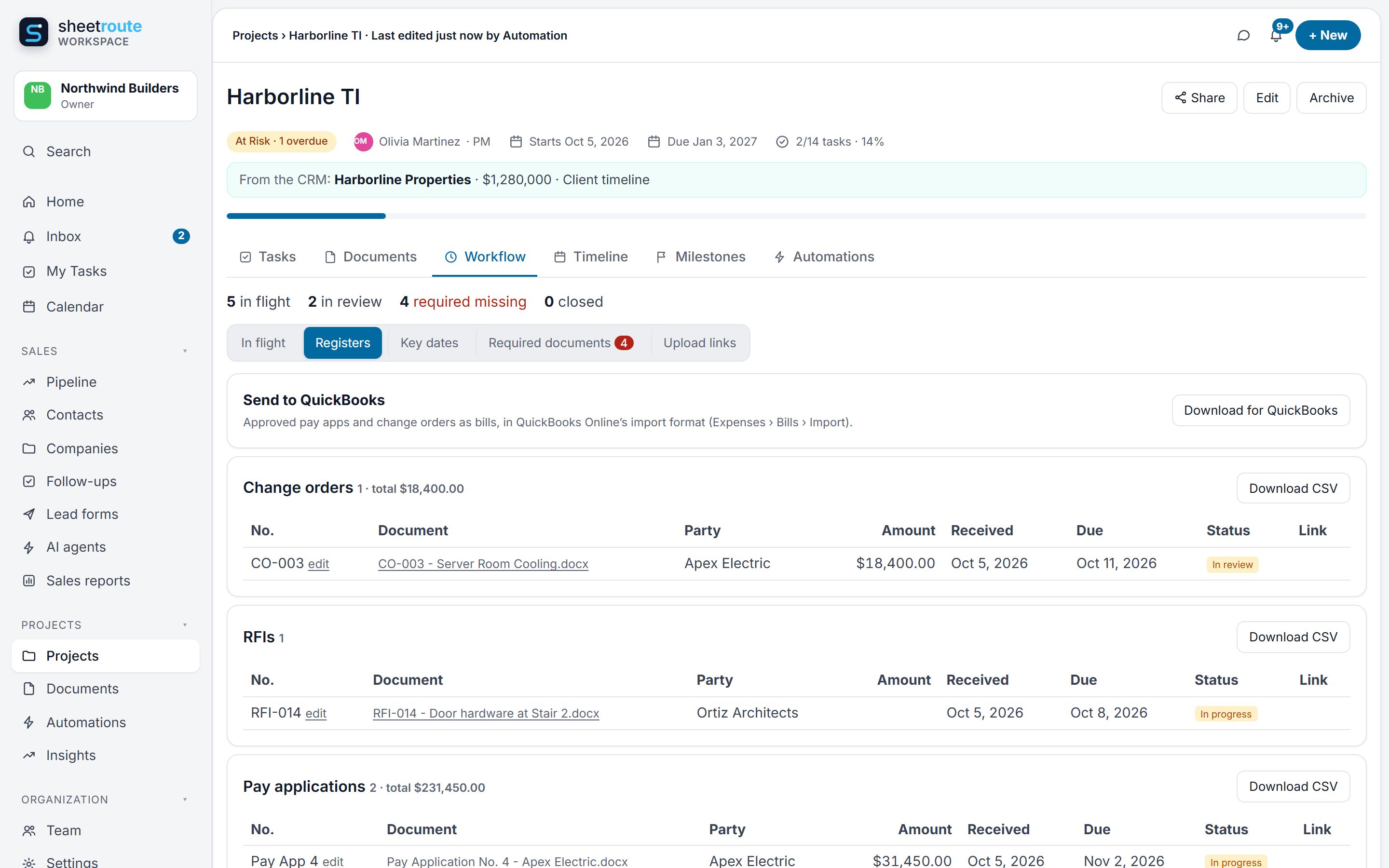
- Required documents per subcontractor: insurance, W-9, lien waivers
- Tested on real public pay apps; a file holding several pay apps splits into one each
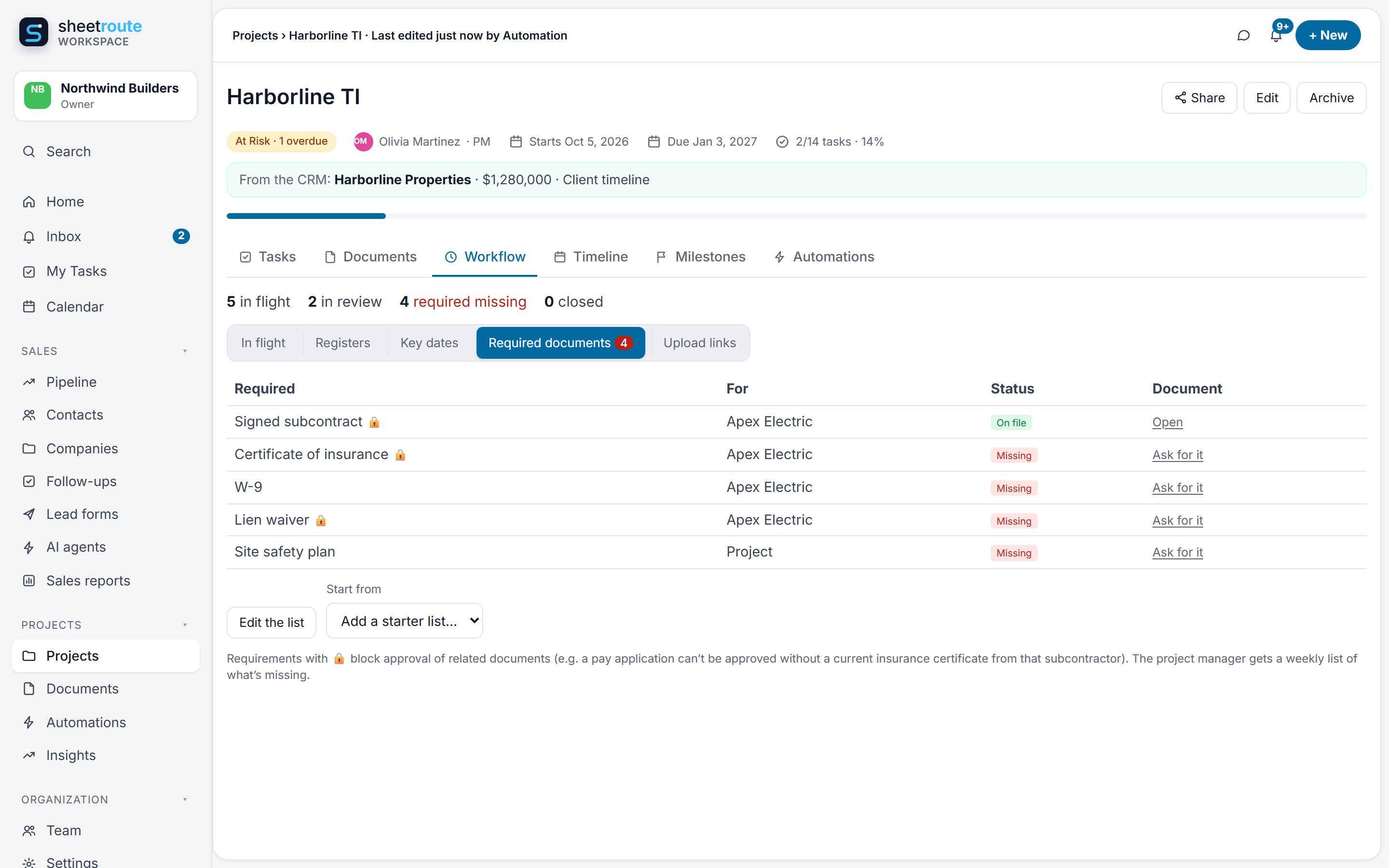
Logs, approvals and outside links that run themselves
Change order, RFI, submittal and pay application logs build themselves. Approvals route by amount. Subcontractors upload missing paperwork through a link, no account needed.
- Registers with totals, ready for Excel, and QuickBooks Online connected: approved pay apps go in as bills
- Approvals with due dates, reminders and escalation
- Signing links: they type their name and agree, and it’s recorded
- Automations from templates, or described in one sentence
Paperwork that drives the project
On Business and above, Documents feeds Projects and the CRM directly.
Obligations become tasks
“Furnish a certificate of insurance before starting work” becomes a task on Harborline TI with an owner, a due date and the quoted clause.
Pay apps create the follow-up
A checked pay application creates “verify quantities” and “process payment” tasks, and its payment date joins the project’s key dates.
Client documents in the CRM
Proposals and quotes uploaded to a deal are filed in Sales documents and linked from its project. CRM agents can search and read a client’s documents.
Stop retyping your paperwork.
Start your free 14-day trial of Business, or pick Starter for Documents on its own.